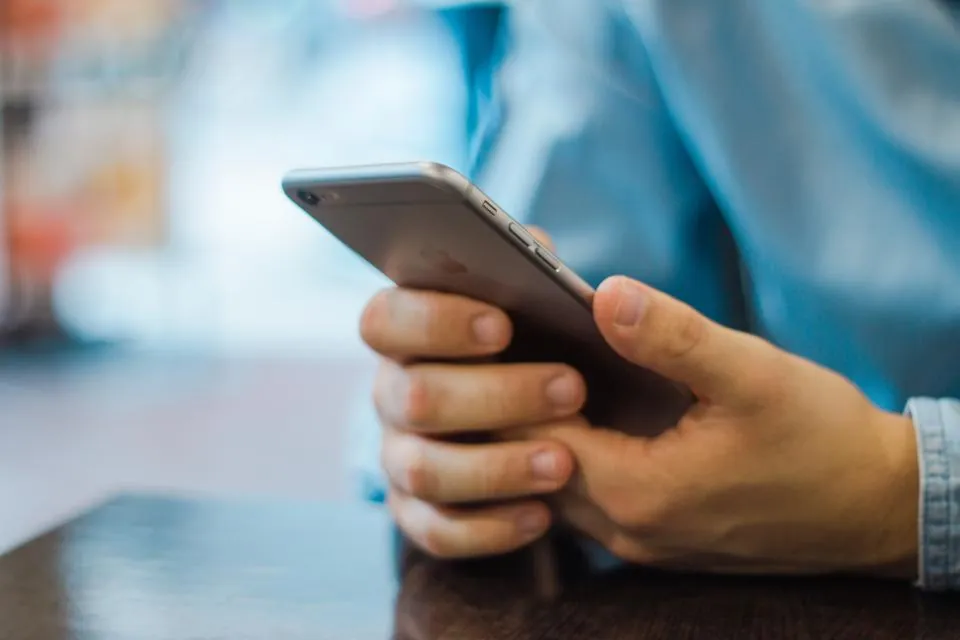
Healthy screen time habits are not about giving up your phone or laptop. They are about using screens on purpose, taking regular breaks for your eyes and body, and protecting the hours that matter most, such as meals, conversations and the time before sleep.
This guide from Finishedfiling.com explains why screen habits affect wellbeing and offers simple, realistic changes you can start today.
Key Takeaways
- Give your eyes regular breaks with the 20-20-20 rule.
- Turn off non-essential notifications so your phone interrupts you less.
- Create screen-free zones and times, especially at meals and in the bedroom.
- Replace mindless scrolling with a planned activity you enjoy.
- Track your usage for a week before deciding what to change.
Why Screen Habits Matter for Wellbeing
Screens are part of work, study, banking, shopping and staying in touch. That usefulness is exactly why it is easy to lose track of time on them. Hours spent looking at a screen can crowd out sleep, movement and face-to-face time, and long sessions may leave your eyes tired.
The aim is balance. Some screen time is productive or genuinely relaxing; some is simply habit. Healthy screen time habits help you keep the first kind and cut back on the second. Time on social media can fall into either group, and our guide to social media etiquette covers how to post and comment more thoughtfully.
Common Effects of Too Much Screen Time
Different people notice different effects, but these are among the most common:
- Tired eyes: staring at a screen for long periods can leave your eyes dry, tired or strained.
- Neck and back discomfort: looking down at a phone or slouching at a laptop puts extra load on the neck and shoulders.
- Poorer sleep: using screens late at night can make it harder to wind down.
- Less movement: long sessions usually mean long periods of sitting.
- Scattered attention: constant notifications make it harder to focus on one task.
If you work at a computer all day, your setup matters too. Our guide to desk posture and workstation setup explains how to position your screen, chair and keyboard.
Give Your Eyes a Break With the 20-20-20 Rule
The National Eye Institute suggests a simple habit to rest your eyes: every 20 minutes, look at something about 20 feet away for 20 seconds. It takes almost no time and is easy to remember.
A few more eye-friendly habits help as well. Keep your screen at a comfortable distance, reduce glare from windows and lamps, and remember to blink, since people tend to blink less while concentrating on a screen. If you have ongoing eye discomfort, blurred vision or headaches, book an eye exam with an optometrist or ophthalmologist.
Practical Healthy Screen Time Habits
Small, specific rules work better than a vague goal to “use my phone less”. Try a few of these.
- Check your usage. Most phones show daily screen time. Look at a week of data before changing anything.
- Turn off non-essential notifications. Keep calls and messages from people, and silence the rest.
- Move distracting apps. Put social and video apps off your home screen or into a folder.
- Set screen-free zones. The dining table and the bedroom are good places to start.
- Use a real alarm clock. Charging your phone outside the bedroom removes late-night scrolling.
- Plan your downtime. Decide in advance what you will watch or read instead of browsing endlessly.
- Stand up between tasks. Use the end of a video call or a finished task as a cue to move.
At Finishedfiling.com, we find that the most effective changes are the ones that remove friction from good habits and add friction to automatic ones. Tidying your apps and files is a good example, and our guide to digital decluttering walks through it step by step.
Productive Versus Passive Screen Time
Not all screen time is equal. The table below can help you sort your own habits.
| Type of Screen Time | Examples | Suggested Approach |
|---|---|---|
| Productive | Work, study, paying bills, learning a skill | Keep, but take regular breaks |
| Social | Video calls with family, messaging friends | Keep, and favour real conversations |
| Planned leisure | A chosen film, a game with friends | Enjoy it, then stop at a set time |
| Passive or habitual | Endless scrolling, autoplay videos | Reduce by adding friction and alternatives |
Protect Your Evenings and Sleep
Evening screen use can delay sleep, partly because engaging content keeps the mind busy. Try putting devices away 30 to 60 minutes before bed and swapping them for a book, light stretching or a calm conversation. Our guide to sleep hygiene basics has more ideas for a relaxing wind-down routine.
Find Replacements, Not Just Restrictions
Cutting screen time leaves a gap, and gaps tend to fill up with the old habit. Plan what you will do instead:
- go for a short walk after dinner;
- call a friend instead of scrolling through their updates;
- keep a book, puzzle or sketchpad where you usually pick up your phone;
- try a hobby that uses your hands, such as cooking, gardening or crafts.
If screen use is tied to stress, loneliness or low mood, the underlying feeling deserves attention too. Our Mental Health articles cover coping strategies, and a doctor or counsellor can help if those feelings persist.
Frequently Asked Questions
How Much Screen Time Is Healthy for Adults?
There is no single number that suits every adult, because work, study and social life all involve screens. A more useful question is whether your screen use crowds out sleep, movement, relationships or focus. If it does, start by reducing passive scrolling and adding regular breaks rather than aiming for a strict daily limit.
What Is the 20-20-20 Rule?
The 20-20-20 rule is a simple way to rest your eyes during screen work. Every 20 minutes, look at something about 20 feet away for at least 20 seconds. It gives the eye muscles a short break from close focus and is an easy habit to build into your workday.
Do Blue Light Glasses Help?
Evidence that blue light glasses prevent eye strain is limited, and many eye-health organizations do not recommend them for that purpose. Regular breaks, good screen positioning and blinking more often are more reliable steps. If your eyes stay uncomfortable, ask an eye-care professional to check for issues such as an outdated prescription.
How Can I Stop Scrolling Before Bed?
Charge your phone outside the bedroom and use a basic alarm clock instead. Set a regular time to put devices away, then follow it with a calming activity such as reading a paper book or stretching. Turning on your phone’s focus or bedtime mode can also reduce late-night notifications that tempt you back.
Final Thoughts
Healthy screen time habits come down to intention: decide when screens help you and set gentle limits when they do not. Start with one or two changes, such as eye breaks and a phone-free bedroom, and build from there. Explore more Health and Wellness guides or visit the Finishedfiling.com homepage for more everyday reading.
Categories

Time in Nature: How to Get Outdoors More Often

How to Build a Walking Habit You Can Keep

Simple Meal Prep for Busy Weeks: A Beginner’s Plan

Healthy Grocery Shopping on a Budget: A Practical Guide

Eco-Friendly Habits for Everyday Living
Why People Research a Website Before Using It
Time in Nature: How to Get Outdoors More Often
How to Choose an Online Course That Fits Your Goals
How to Build a Self-Paced Learning Routine That Lasts
Browse practical articles on health, lifestyle, travel, education and business, organised by topic so you can find what you need quickly.