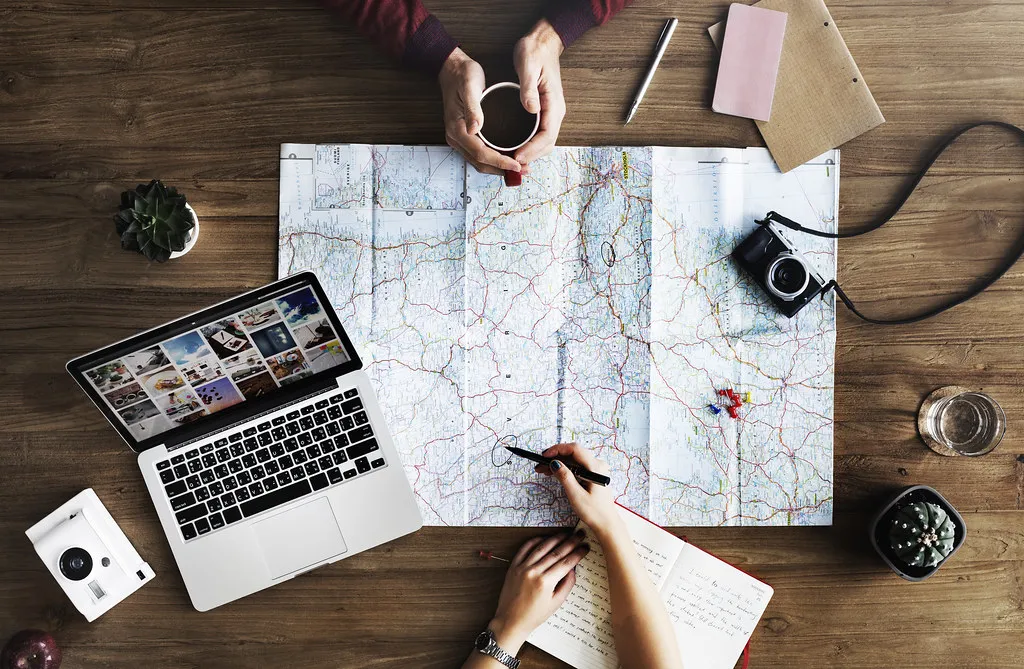
The best trip planning tools are often free: a spreadsheet for your budget, a map app for places to stay and visit, price alerts for transport, a shared calendar for the itinerary and official sites for safety and health advice. Used in the right order, they turn a vague idea into a clear plan. This guide from Finishedfiling.com walks through each step.
Key Takeaways
- Set your budget and dates first; they shape every other choice.
- Use price alerts and comparison pages, then book directly when it makes sense.
- Save places on a map and download offline areas before you leave.
- Check official travel advisories and health guidance for your destination.
Step 1: Set a Budget With a Simple Spreadsheet
Before searching for flights or hotels, decide what the whole trip can cost. A free spreadsheet is enough. Create rows for transport, accommodation, food, activities, local travel, insurance and a buffer of about ten percent for surprises.
Fill in rough estimates first, then replace them with real prices as you book. Seeing the total change in real time stops small extras from quietly adding up. A tip we often share at Finishedfiling.com: add a column for what is already paid, so you always know how much is left to cover before departure. If you are saving for the trip, our guide on how to make a simple monthly budget shows how to set money aside each month.
Step 2: Compare Transport and Stays
Comparison websites show many options at once, which helps you understand typical prices for your dates. Most also offer price alerts that email you when a fare changes. Once you find a good option, it can be worth checking the airline, rail operator or hotel website directly, since direct bookings can be easier to change or cancel.
Always read the cancellation policy and what is included before paying. A cheap fare without luggage or seat selection may cost more in the end. If a booking site is unfamiliar, our checklist on how to check if a website is safe to use can help you decide whether to trust it.
Step 3: Map Your Destination
Map apps are among the most useful trip planning tools. Save your accommodation, the sights you want to see, restaurants and transit stations as favorites. Seeing them together shows which places are close to each other, so you can group them into sensible days.
Many map apps let you download an area for offline use. Do this on Wi-Fi before you travel, and you can navigate without mobile data.
Step 4: Build an Itinerary in One Shared Place
A shared calendar or document keeps the plan in one place for everyone travelling. At Finishedfiling.com we recommend a simple day-by-day layout: morning, afternoon and evening, with addresses, booking references and opening hours. Leave free time each day; packed schedules rarely survive real travel.
Travelling with friends? The approach in our guide to planning a group get-together works for trips too, from date polls to shared cost lists.
Which Tool to Use at Each Stage
| Planning Stage | Tool Type | What to Check |
|---|---|---|
| Budget | Spreadsheet | Total cost, buffer for surprises |
| Transport | Comparison sites and price alerts | Luggage rules, change and cancellation fees |
| Accommodation | Booking platforms and map view | Location, reviews, cancellation policy |
| Daily plan | Shared calendar or document | Opening hours, travel time between places |
| Navigation | Map app with offline areas | Downloaded maps, saved places |
| Safety and health | Official government websites | Advisories, entry rules, vaccinations |
Step 5: Check Safety, Health and Entry Rules
Official sources are the most reliable place to check conditions at your destination. The U.S. Centers for Disease Control and Prevention publishes destination-specific health information for travelers, including recommended vaccines. U.S. citizens can also enroll in the Smart Traveler Enrollment Program to receive safety alerts from the nearest embassy. Packing for the weather matters too, and our guide to sunscreen basics explains how to choose and reapply sun protection.
Visitors from other countries should check their own government’s travel advice pages, which usually cover safety, local laws and entry requirements. If you have health conditions, speak with a doctor or travel clinic several weeks before departure.
Step 6: Prepare Your Phone for the Trip
A few minutes of preparation saves stress later:
- Download boarding passes, bookings and tickets for offline use.
- Install the local transport or taxi apps you expect to use.
- Check your phone plan’s roaming costs or consider a local or travel eSIM.
- Pack a power bank, charging cable and plug adapter.
- Turn on automatic photo backup so holiday pictures are protected.
For a full list of what to keep on your phone, see our digital travel documents checklist.
Frequently Asked Questions
What Are the Most Useful Free Trip Planning Tools?
A spreadsheet for the budget, a map app with saved places and offline areas, comparison sites with price alerts, a shared calendar for the itinerary and official government websites for safety and health advice. Together they cover nearly every part of planning a trip without paid software or subscriptions.
Is It Cheaper to Book Through Comparison Sites or Directly?
It varies. Comparison sites are excellent for seeing typical prices and spotting deals, but booking directly with an airline or hotel can sometimes offer better change policies, loyalty benefits or easier customer support. Compare the final price, including fees and luggage, and read the cancellation terms before choosing.
How Far Ahead Should I Start Planning a Trip?
For international trips, start two to three months ahead, or earlier for peak seasons and destinations needing visas. Domestic trips can often be planned in a few weeks. Starting early gives you time to watch prices, check entry rules and arrange any vaccinations or travel insurance you need.
How Can I Use Maps Abroad Without Mobile Data?
Many map apps let you download an area for offline use. Open the app on Wi-Fi before your trip, select your destination area and save it. Offline maps support searching and directions in many cases, though live traffic and some transit details may need a connection.
Final Thoughts
Good trip planning tools are simple and mostly free. Set a budget, compare carefully, map your days, check official advice and prepare your phone, and the trip will largely organize itself. Find more travel ideas in the Travel section and people-focused guides in Social Life, or visit the Finished Filing homepage for more.
Categories

Time in Nature: How to Get Outdoors More Often

How to Build a Walking Habit You Can Keep

Simple Meal Prep for Busy Weeks: A Beginner’s Plan

Healthy Grocery Shopping on a Budget: A Practical Guide

Eco-Friendly Habits for Everyday Living
Why People Research a Website Before Using It
Time in Nature: How to Get Outdoors More Often
How to Choose an Online Course That Fits Your Goals
How to Build a Self-Paced Learning Routine That Lasts
Browse practical articles on health, lifestyle, travel, education and business, organised by topic so you can find what you need quickly.